UX Design: Making Dynamic Prototypes

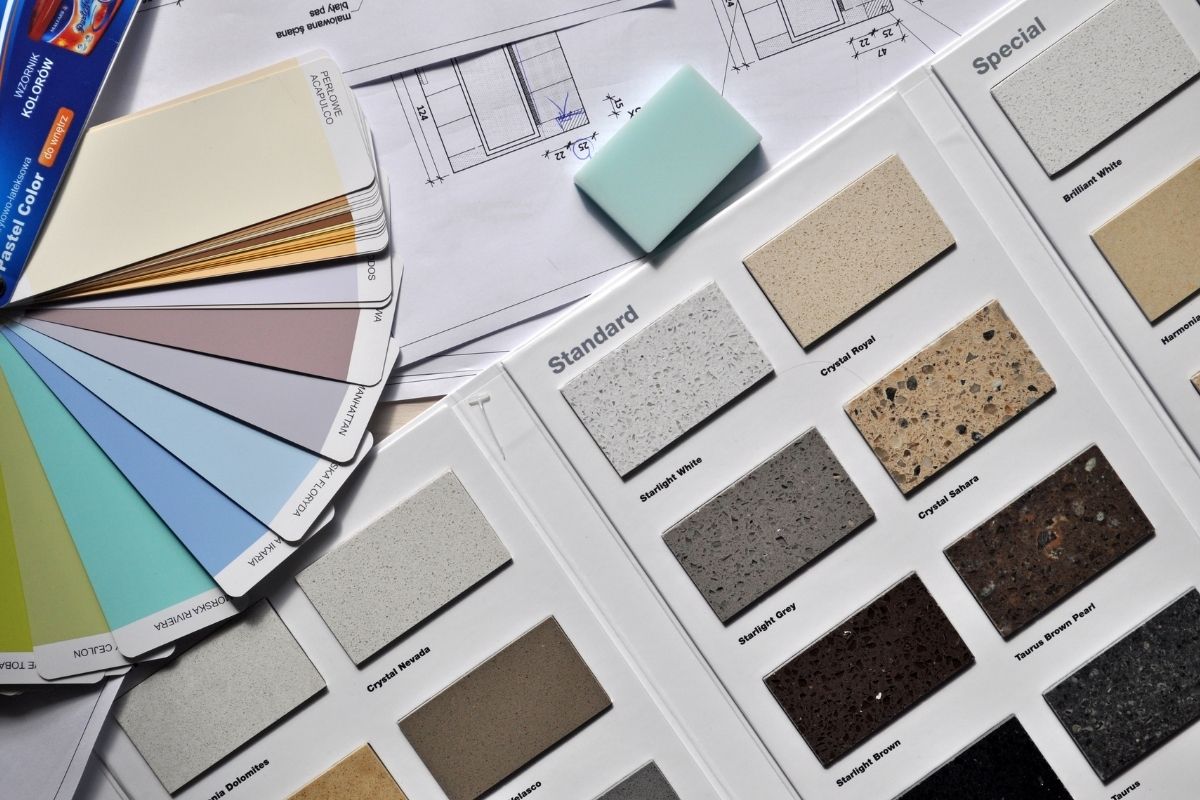
In the next stage, you add a little bit of dynamics to your prototype to figure out what is the best way to create this conversation. You start by looking at different elements, including animation, colors and images. By adding dynamics, you can also start to go to the specific person that you’re designing for to seek more input. After all, at that stage, you want to have a very specific scenario in mind as well.

UX Design Prototype Feedback

When you go to a person and you design a system, such as a map for a person who wants to go from Point A to Point B, the user flow that you create should have a very specific scenario so that you can have a person try out your system or the prototype. For example, they might try out one that has colors, one that has animation or one that is dynamic in other ways. The user can actually try to use that system to help them go from Point A to Point B.

If they’re successful, your prototype is successful. If they’re not successful, and more often than not they won’t succeed with your UI in the first few stages of the prototype’s design, you have to ask yourself: Where did they come across a UX problem? Did they fail when they tried to press a button because they interpreted the button as text and not as a button? Did they fail because they interpreted the image as something that conveyed too much information and looked more like text? Did they fail to enter the information into a text box because the text box was just too small?

These are the things that you can identify in your UI design with a digital, high-fidelity prototype. When you allow this type of interaction with one or more users, the results convey to you the exact areas in which your prototype is failing. You then have to decide how best to reverse course and quickly refine the prototype so that you can try again to see if a user can accomplish that task.

As you’re learning through your online UX design education studies, a prototype gives you the ability to do something that you don’t have to fall in love with and can even throw away. A prototype allows you to more successfully get to the goal of designing a simple pleasurable application.
Distribution & Fulfillment Channels: Fast Fashion: Distribution Disruption as Business Model

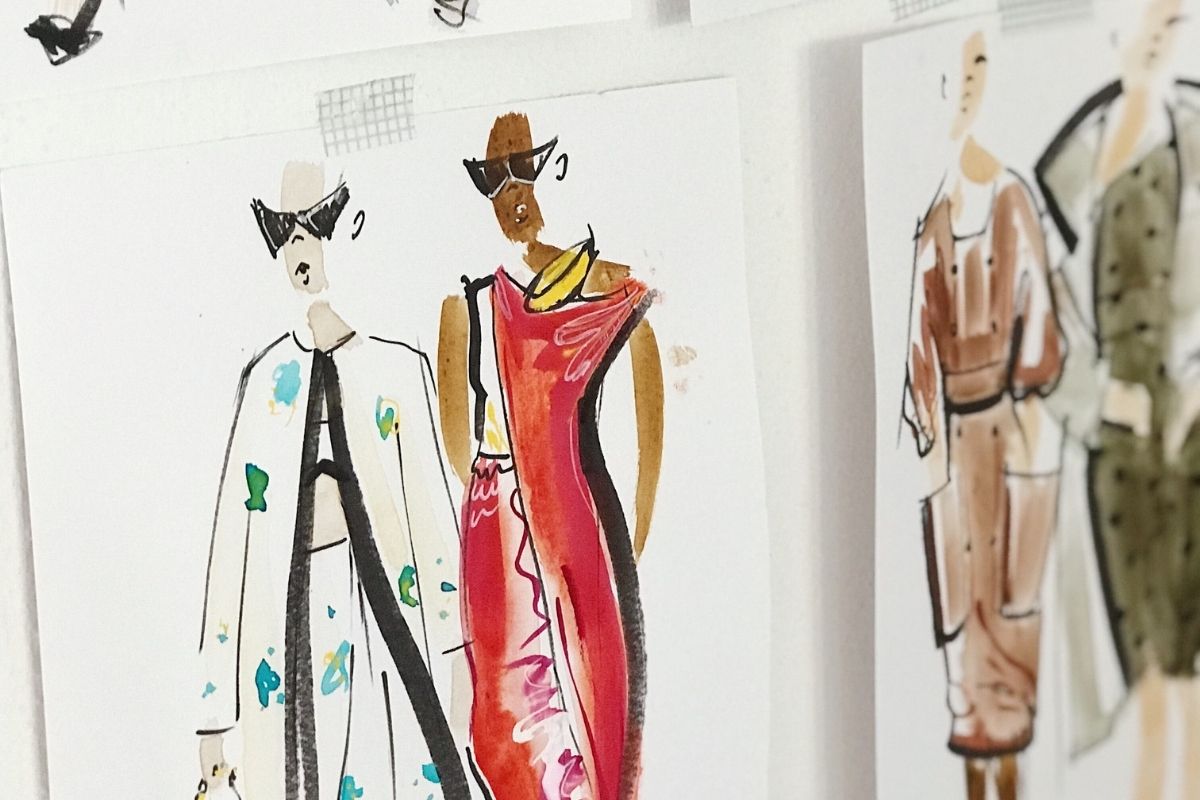
Fashion is changing rapidly and speed to market is a huge part of this transformation. In the past few years in fast fashion we’ve seen a lot of disruption, decentralization, and Instagram monetization.

Think about the original fashion business supply chain and how it’s been set up with department stores and a push model of the industry deciding what’s available and what we’re going to wear. Everyone was shopping in malls to engage with products.

Today, we’re operating more on a pull model where customers can tell us more about what they want. We’ve seen retailers like Zara, Forever 21, and H&M operate in this model of what we consider fast fashion. The real difference is the speed to market and the time it takes for the production process for that product to make its way to a floor.

Zara has been able to innovate and engage with feedback loops and speed up the process to market. Engaging in smaller batch manufacturing is helpful when you’re competing for space on a manufacturing line. It takes more effort and resources to produce 30,000 garments in one place versus spreading out demand in several factories since you’re competing with other retailers and brands to get manufacturing facility space and capacity.

Using fashion education, you can pivot more quickly when you’re dealing with fewer units. There’s opportunities to use customer feedback to shorten production lead time.There are so many points in the supply chain where, when you’re dealing with less units, it becomes easier for stores to more quickly funnel their product.

In historical department store retail, it could take six to nine months to go through this process. Fast fashion really disrupted that process and we no longer have to wait for the season to end to continue iterating, innovating, and ultimately bring newness on our time.

What Is Agility in Terms of UI Design?

“An agile workflow is all about iteration and moving quickly”, Camara explains. The best way to go about agility when working on a UI assignment is to implement design sprints. Design sprints are typically two-week spans in which you are to complete as much as possible before moving on to the next sprint. Waterfall, however, is a process that’s based more on phases. So, when carrying out this process, you would then be working through your project by completing each phase at a particular time. Also, there is no specific timeframe for each phase, but as you get through them, you would essentially be making your way through the finish line as well.

Ultimately, agile development refers to the division of labor, the division of milestones, and the kind of path that is taken from A to Z. You can learn about this entire process in detail through online UX design education.

Why an Agile Workflow Is so Beneficial Nowadays

The old-school way of doing it called for designers to take six months, a year, or even three years before having something new to show. And though we can keep that as an ultimate goal, agility proves to us that by conquering smaller milestones on a regular basis, you will always have something fresh to show. In fact, your software might not even be finished, but you can still present some of its workings rather than leaving the engine open until all of the parts are ready. As you develop your UI design, you can say, “Hey, this part of the engine is that”, or “This part of the engine is already done”, allowing your productivity to be known as you work towards the completion of your UX design.

Working little by little will help you to paint the perfect picture or narrative because your creation will be constantly testing itself against the people who will soon be using it.

So, the idea of having something to show, whether it’s your funders, your current group of test users, your classmates, or even an active research group, gives you the unique advantage of receiving consistent input so that you will have a better idea as to which path you’re taking and what it’s meant to do. That kind of invaluable UX feedback will help you stay on track and put you on a greater level of success.

Ecommerce Concepts & Models: Business Website Basics

Today, every brand has a website. They have a web presence of some sort. I believe your website should provide precisely what your customers, or tribe, are looking for.

Many businesses use e-commerce. However, the internet is a bit more educational. You can buy clothes on the web, but first, let us tell you about ourselves. We’ll show you how we sustainably make our products.

It becomes a component of marketing and romancing the customer with who you are and how you conduct business. Nobody wants to be more than a few mouse clicks away from making a purchase. You must make it simple and easy to use.

I believe that user-friendliness is the key. A lot of really high-end corporations, in my opinion, are really good at making attractive visuals. You go to the site, and it’s absolutely stunning, and it perfectly captures the look they’re after. However, if you can’t easily navigate from item to item or see the product’s information, you’ll discover abandoned carts more often than not. Alternatively, they could have simply given up and departed.

We’ve witnessed significant growth in online shopping. Even those I would never expect to embrace e-commerce, such as my parents and people in their eighties, have acclimated to it, and everyone is doing it this way. You’ll want to make sure that your website is simple to use however you put yourself out there.

Tucker Viemeister Discusses Sketching in Product Development

In product development, sketching is not merely drawing. The sketching phase that some people think of when discussing product design is the most creative part of the process. You’re taking intangible ideas that you discovered in your mind and trying to manifest them somehow into something that’s tangible.

The Importance of Sketching

It’s great when you have an idea while resting, but then, when you try to sketch it or produce it in real life, you might realize that it really can’t work. It’s like a chair that has only one leg and can’t stand up on its own or anything else that just doesn’t work as expected in reality. You only start to see product design problems when you sketch ideas.

Online Product Design Education

You also start to reveal your ideas, which means that you can share them with other people. Another one of the powerful tools of industrial design is that you start to share ideas in ways that help other people to see them and work on them too. With a product design education, you receive opportunities to share your ideas with mentors and peers who can help you to better realize them.

Types of User Flow Data

If you’re pursuing an online UX design education, it’s important to understand the different terminology. You’ll hear the terms UI, UX, UI design, and CX thrown around a lot. There are really two types of user flows. We’ll take a zoomed-out perspective for the first one, which is most aligned with CX, or customer experience design, where you look at a broader context: from initial consideration (or even before the user considers using or purchasing a product) all the way to post-usage, including users referring people to a product. We want to understand all the interactions that are taking place within that space.

Zooming in a bit more is where our user experience design, or UX design, lives. This really focuses more on the usage of individual products. When are people engaging with products? At what time during the day? How are people using them? Are other people using the products with them? What does that look like?

A lot of what we can gain from user experience research is that narrative of how people are using products throughout the day. We can understand this through a process known as journey mapping. Journey mapping is basically what it sounds like, a map of the interactions a person has with your products: how they engage with them on a daily basis, what actions they’re taking throughout an app, and how that impacts other actions that they may take or impacts future behaviors.

That’s basically the difference between a CX and UX.

Ultimate Guide To Product Design 3D Sketching

“So when I’m sketching and moving out of brainstorm into a physical model or drawings, like the best advice I can give is do what comes natural,” says Steph Mantis. You don’t have to learn a technical drawings in order to start designing. You can grab an empty cereal box, a glue gun, and some straws, and make something that will get your mind going, get your hands going. You’ll pull up and this tacit knowledge that comes from making.”

My models are mostly made out of cardboard and tape. I worked on a very high-end glass and paint project, as well as pan-blown glass and custom milled wood. Cardboard tape was used in the model. The entire item was made entirely of cardboard and tape. Don’t be a snob, okay? Don’t be too particular while transitioning from brainstorming to drawing. At this point, it doesn’t important if it looks like what you wanted. We are attempting to transport you from point A to point B to point C; we do not transport you from point A to point Z. You miss the entire alphabet if you travel from A to Z. You’ll never come across anything that may have resulted from your exploration.

So, you must just get started and overcome your fear of failure. Getting out the door, like anything else, is the most difficult part. And getting a product out the door is becoming more tactile. If you don’t produce anything, you don’t have a product. The rendering, or drawing, has no interaction with people’s lives. So overcome your fear, don’t be concerned with perfection, and get something out of your thoughts and into your hands.

And it doesn’t matter how old you are. You may use ready-mades or yesterday’s garbage; in fact, I believe utilizing trash is an exceptional method of Product Design and Product Development since you’re not going to be precious with it in the first place.

“I always start formulating my ideas, by identifying whatever is fixed in the equation. Whether it’s architecture, or technology, or production method, or sometimes its budgets. But whatever is absolutely fixed, I identify what those are first and they become those would be the guardrails for me. In terms of how to structure a project, so that it’s a suitable scale.” Kate Hixon

And, rather than a blank sheet of paper, which may be scary, I typically find the most inspiration inside the constraints of a brief. Whatever I do, I start producing small little sketches. Out of three in three dimensions, I begin bending cardboard and discovering stuff about my desk. Even if it’s a graphic design challenge, I usually start with three-dimensional drawing these skills can be acquired through Product Design Education via Online Product Design Education.

Understanding the Background of UI and UX Design

“If we were to describe it in a way that makes it very easy for you to understand in a physical plane, UX will be the foundation of a house,” says Tiago Valente.

He contrasts it with UI, or user interface, which refers to the complement, look, feel, and interactivity with the product you’re designing — the visual components of your experience and how those visual components are going to make the user’s journey as intuitive as possible.

Continuing the analogy of a house, Valente explains, “The difference between UX and UI is that UI refers to the wallpaper, the furniture, and all those elements that make this environment more pleasant and overall more intuitive to navigate — buttons, iconography, colors, and all aesthetics that involve the interface or that adorn the interface. But we’re not always talking about adorning or embellishing the interface or making it aesthetically pleasing. We’re talking about usability. We’re talking about accessibility.”

Daniel Holtzman relates UI design to a different type of structure, saying, “Many times in public buildings, when you approach a door there will be, instead of a handle, simply a metal plate. Almost without thinking, we know that that means that’s a door that we push in. Similarly, when we see handles that are vertical, we tend to think of those as handles that we pull. Handles that are horizontal, we think of those as handles that we push.

“As we’ve transitioned from physical to digital interfaces,” Holtzman notes, “we’ve also created a bunch of conventions. We use things like iconography. And that can be quite tricky when you actually are designing, to get the icon that feels right and looks right.” For some of them, the meaning is undeniable. “If you see something that looks like a video camera, you’re going to assume that that means video,” he says. “If you see that next to something that looks like an oval with a little stand on it, you might easily interpret that to mean sound. So now you have video and sound next to each other.

“UI is really about creating these affordances that let the users know, through subtle cues, what it is that they can do or what it is that they should be doing to move forward with the flow at hand, with the task at hand, that they want to accomplish. So it’s really about letting people do the things that they want to do in the simplest, most straightforward way possible,” Holtzman concludes.

These concepts are important ones to keep in mind as you pursue your online UX design education and strive to deliver the best possible user experience.

Understanding the End User in Product Design

One thing that’s tricky for designers is that we often think of ourselves as typical users. We use an iPhone or a toothbrush or a vacuum cleaner, so we think we’re typical users.

We’re not.

In order to understand users, you have to use methods that help you gain access to their experience and ideas. Those are methods like interviewing and ethnographic research.

Reality vs. Assumption in Product Design

It’s really interesting to see the difference between what people say and what they do. I always joke with students that if you ask somebody how many times a day they go to the bathroom, they might say four.

If you actually sit there during the day and count up the number of times they go to the bathroom, you may find that they go many more times or many fewer times than they thought.

We are not always great witnesses to our own behavior, habits and patterns.

Ethnographic Research in Product Development

Ethnographic research is so important on many, many levels. It’s important not only for the conversations, where you can start to understand how people think about a certain product or how they use it but also for the keen observation of what people really do.

You need to be there patiently observing the ways in which people use things because how they use things and how they talk about using things are two very, very different things.

If you just accept people at their word, you often miss out on the fact that they don’t always have a good idea of what they’re doing when they use something.

For instance, you may ask people, “How do you sit when you’re working at the computer?” They’ll show you, and they’ll sit upright to type, and they’ll say, “This is how I sit.”

But if you watch them during the day, you’ll notice they lean over, and they’re hunched over all day long. Their posture is terrible.

An important part of product design education is teaching you that what people do and what people say they do are two radically different things.

Ethnographic research is important in product development, not only for the conversations that you’ll have with people about their experiences but your observations.

You can’t take people at their word, not because they’re lying, but because all of us make generalizations about our behavior that are often not based on fact. Patient observation is vital to discover what’s really happening.

Video Research in Product Design

Online product design education and any product development classes will drive home to you that ethnographic videography is an important part of product design. Video can help in situations where it’s otherwise hard to observe and take detailed notes about what you see.

Being able to take a video of someone in the act of doing something preserves what happens so you can analyze it later. It also allows you to slow down and speed up. You can rewind, play it in slow-motion or speed past things.

The ability to play something back multiple times at various speeds can reveal things you might otherwise miss.

Observation, conversation and video are tools that will help you to understand the user much more effectively than pretending that you, as the designer, are the typical user. Generalizing your own experience almost never works to provide real user information.

Using Color Contrast in UI Design

Contrast is something that you should use very thoughtfully and sparingly in UI design. If you design an item with high contrast, it will draw a lot of attention to itself. That’s why I typically reserve high contrast for my action buttons on a user interface, or UI.

There are actually some interesting related design principles in online UX design education, I think from interior design. You can choose three colors for your UI, but make sure that your base color is 60% to 80% of the page. That base color should be something neutral and calm that doesn’t have high contrast.

Then you can pick two other colors to sort of help you draw attention to the things that matter to the UX. So, I would say use contrast sparingly in UX design and use it for the things that you really want people to act on and/or potentially look at.