Is 3D Printing the Best Option for Product Design Samples?

Prototyping is an essential part of our job, and it is not always what we all think about. Prototyping doesn’t necessarily require a machine or a 3D printer. I always tell my team that the first rapid prototyping machine they must use in their project is a printer. It is effective because you start designing on the screen, which can be very challenging. It’s a challenge because as soon as you get into CAD, you sometimes keep the notion of proportion, but you lose the notion of scale.

For example, I have had designers repeatedly create 3D printing. The day they take it out of the machine, they look at it and say, oh, my god, this is big! It is for such reasons that a simple print is actually a great way to prototype your project rapidly. As you get into your process and refine it, maybe you will decide to cut and form the shape. Based on the print you have done, maybe you get to a point where you’re going to 3D print. It means in particular situations, 3D printing can still be a necessity.

Usually, in 3D printing, you might prefer to keep it maybe not to the last stage but the later stage of the product development process. There is a good reason behind this claim. It’s when you have already refined your design quite a lot, and you’re nitpicking the proportion and specific detail. In this case, you really want to make sure that your surface transition is proper and so forth. These are some of the fundamentals everyone in product design education must learn. Also, it must include online product design education.

When I speak about 3D printing, that’s 3D printing in plastic. We also do 3D printing in metal, which is slightly different. It is different because we don’t need metal to evaluate or shape an interface. When we use 3D printing in metal, we use what we call DMLS. It is usually to print a production part, which makes it very expensive. In such cases, it becomes rare.

We have one line of products in which their production is of that approach, but they may all cost you almost as much as it costs. It’s a little bit specific and for a particular market, and it’s also interesting. Once you are comfortable with all the plastic 3D printing technologies that are available, making that last leap to print in production is not that difficult. It’s just one more step.

Jamer Hunt on Finding the Expertise

We want to shift the conversation away from design focused on an end product, and instead, design as a process that could be open to a wide variety of participants. Nowadays, we tend to call that approach participant design or co-design.

The designer doesn’t have all the good ideas. Design experts have some good ideas, but many people likewise have creative ideas. So, how do you use the product design process to leverage all of those people who might be interested? They might be stakeholders in this product development process and might be able to envision possibilities that you would never see.

Sometimes we don’t know the situation well enough or we’re just getting to understand it a bit. Some people with brilliant ideas come from a different cultural background or a different language experience or a different religious orientation. Individuals from varied perspectives can offer unique perspectives that contribute to product design education. Whatever the source, it seems that the more interesting and innovative ideas are incubated outside of our heads rather than internally.

For me, the starting point is getting to know a context, a situation, a community. That might come through interviews or book and Internet research. Sometimes creativity emerges through convening community groups or listening to those who express their needs and goals.

Let’s say you are designing a new vacuum cleaner. You may have a great idea for how it should work. But you may be able to come up with much better ideas if you talk to consumers who use vacuum cleaners all the time, either residentially or commercially. Internet surveys and questionnaires along with product reviews often provide information that can best be interpreted by online product design education.

Maybe cleaners in the hotel industry, for instance, are using a vacuum cleaner all day long, and they are the actual experts. One of the things that can be incredibly valuable is to reframe this source of insight and expertise.

We tend to think of experts as people with big credentials and fancy titles or certificates from great universities or from favored consultancies. But an 11-year-old girl who lives in a neighborhood where you may be managing a project who rides her bicycle around is an expert about her sphere of activity. She has learned things that someone with a Harvard degree is never going to know.

Similarly, a hotel employee who cleans rooms for a living is going to understand much more about the essential parts of a vacuum cleaner than an industrial designer who comes to that project brand new with a college degree.

So, how do we find those practical experts? Not the experts with great credentials but those with everyday experience? Let’s look to the people who use our products every day, who encounter the strengths and weaknesses during each use, and who deal with the frustrations of a product’s flaws or limitations each time they switch it on. They’re the ones who are going to offer helpful ideas and the truest knowledge of something you may not know much about.

John Bricker: Working With Clients on a UX Design Brief

One piece of UI design that people really don’t think about or talk about is spending. What is the budget? How are we going to get there? Entering into this, our client has a notion of where they’re going to go. Often, our clients engage us from what we’ll call an “experience blueprint” for a project that has yet to be defined. They have a high-level idea of understanding of what they think they need.

Online UX design education shows we go through a journey with the client. It’s essentially about discovery, vision, narrative, and creating what we’ll call a blueprint for opportunities. Now that can be digital. It could be physical. But it becomes a document, and it becomes the way forward in the UI design.

The Cost

Also in that document, we’re looking at what the cost implications are. Everyone wants digital in the built environment, but they don’t really understand the process and what you need to go through to make it authentic and relatable. So whether it’s a light touch or a heavy touch, we try to give the client a sense of the cost.

Cost doesn’t just include the physical hardware, but also the back end: the UX development process, the software, how the UI system is going to operate, how it self-refreshes, all of those things based on what we think is appropriate for the project and client.

There are a lot of moving parts, but that up-front work saves the client a lot of time and cost, if it’s done appropriately. A good brief is broken down into several buckets, the tactical elements of what’s required, so the client and the team have an understanding of the project’s scale, cost, audience, and intent.

The Vision

Often, briefs focus more on technical needs and detailing all sorts of UX design elements. However, there is part of the brief that’s more of the narrative of what we aspire to for the project. It details what the client’s aspirations are and how our UX design team can build on those aspirations. A client might have a big, global wish for something, but we have to balance that aspiration and the real-life elements together into a brief.

Personally for me, and as a firm, we want to have a narration around the project that gives it a sense of opportunity. It helps the client to see and focus on vision and not get caught up in some of the smaller parts of the process.

Kate Hixon Discusses Product Material Performance Criteria

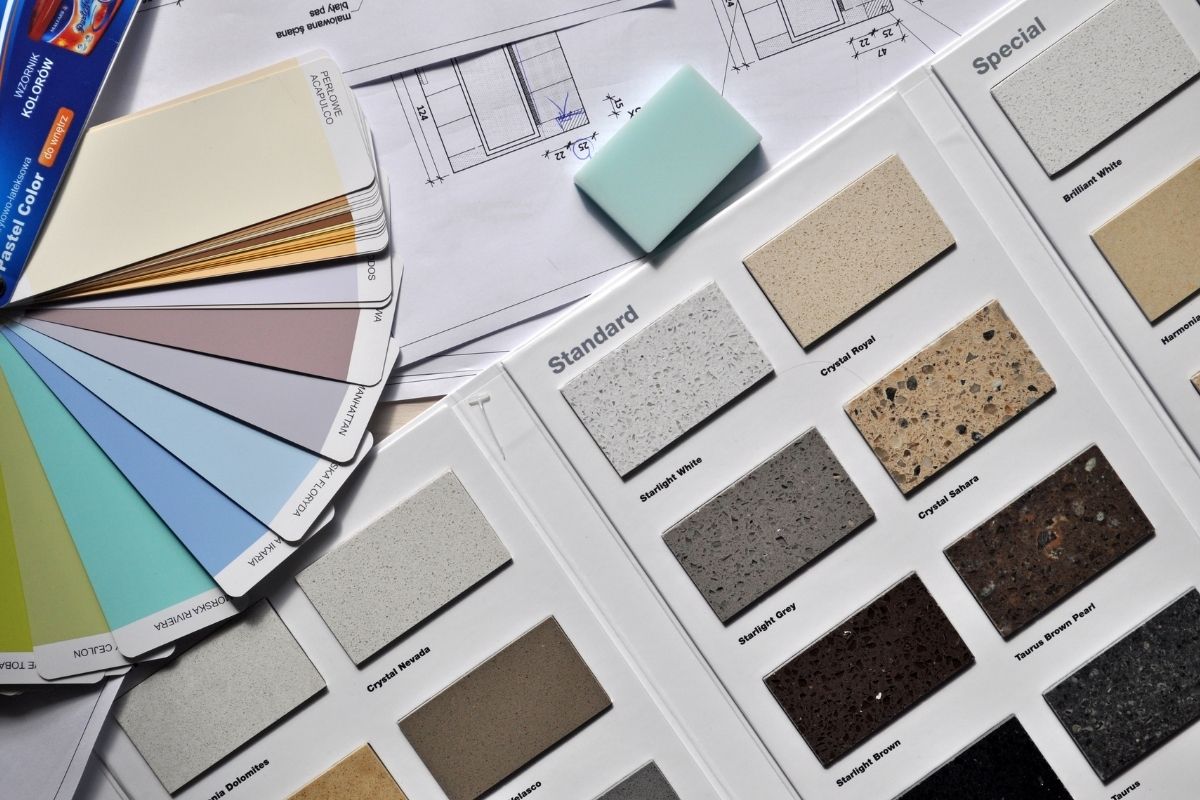
Choosing the right materials for projects really comes down to understanding the material performance criteria of any given product.

Material Performance Criteria Considerations

What is the context for the product? What is its usage? How long do you need it last? Is it going to be subject to regular cleanings as most things are today?

It all comes down to performance criteria. Without taking these areas into consideration, you might make critical design mistakes.

Other Product Material Considerations

Visual criteria and the size limitations of the materials, such as with sheet and casting materials, are additional considerations. For example, what kind of molding can your budget handle?

It’s a constant balancing act. We must consider the specific criteria of a brief and the visual effect we’re looking for and then solve the holistic problem by balancing those two things.

Product Design Education Opportunities

You can learn a lot more about product material performance criteria, visual criteria, size limitations and other product design and product development material considerations via an online product design education. By understanding these and other areas, you can increase your chance of successfully designing and developing products that people value.

Diversity in UX and UI Technology

“I remember in 2012, just not being able to use any emojis that were my skin tone. And that’s something that was just the norm. And so I think a really big thing within the design field itself, is something that I call the white default, which is essentially, the norm is viewed as white,” says Jacquelyn Iyamah.

So, you end up with these products like emojis, Band-Aids, self-driving cars, soap dispensers that just don’t speak to communities of color. They specifically don’t speak to folks who have dark skin. Online UX Design Education must be able to be mindful of that as well as be able to, within the design thinking process, continuously question ourselves and our biases. These issues are something that’s really critical to ensure that we’re not designing products that continuously harm.

“The kind of conversation or the kind of arguments against bias that takes place is often a matter of representation. So let me give you a little historical point here. Technologies that we come to use, if and when they’re created within a capitalistic society, then the way those technologies are pursued is usually to cater to the needs of the corporations that are creating it,” says Amir Baradaran.

Kodak is a good example of that, whereby for people of color, you had a hard time being able to actually have good photos because it was never created for BIPOC. Because it was adjusted only to fair skin, who then had better purchasing capabilities, it never even cared to allow for having devices that actually would better capture the reality of our skin colors.

So, for example, when the camera has a hard time recognizing people of color or being able to distinguish between males and females in darker-skinned bodies and faces, obviously, we have an issue. That should be regulated. We should look for a better representation of data, based on which then machines can learn.

How the Field of UX is Evolving

UX is user experience design. Daniel Holtzman informs us that it’s a big field and it encompasses a lot of things. It comes from a few older practices, some of which form part of what UX is and some of which have been more or less replaced by it. Back in the day, it was more commonly referred to as HCI, or human-computer interface.

There are elements of it which touch UI. There are elements of it which touch technology. There are elements of it which touch business. But really, it’s about understanding how a product or an experience is going to affect a user’s life. How can you create the product or experience in a way that allows someone to use it better, get more out of it, find more delight in it and ultimately engage with it more successfully?

UX design has grown from a lot of things, and it’s at a point now where it’s really exploding. There is a lot going on as interfaces and technologies evolve.

We’re seeing voice interfaces. We’re seeing VR, AR, all of these emergent technologies, all of which are going to require that people not only understand how to bring those experiences to life but also do it in new ways. We’ll have to take all the things we traditionally do in a more digital format and bring them to these other types of formats.

We’re finding that people are specializing, but more people are also becoming generalists. The industry is at a point where it’s diverging. Before, we had a convergence of a bunch of different practices coming together under the helm of UX. Now, what we’re seeing is people specializing and diverging into these different areas.

As these areas become richer and more complex, we’re going to need people who are paying more and more attention to these specific things and are able to specialize in them.

If you have interest in learning more about both UX design and UI design, an excellent place to start would be online UX design education. It’s a convenient and accessible way to gain a much deeper and more complete understanding of these topics and many others.

Donald Norman and UX Design in the Era of the PC

One of the most valuable parts of online UX design education is the look back at the most innovative UX developments in history.

Moving on to the ’70s and Xerox, Apple, and the PC. This is the era of personal computers. Suddenly, psychology and engineering are merged together, and that evolves into the first graphical user interfaces and the mouse, which was invented by Xerox. Apple, in 1984, develops the Macintosh — the first ever mass-market PC that involved a graphical user interface, a mouse, and a built-in screen.

Now, we arrive to the big, big, big deal of UX design. That is Donald Norman. In the ’90s, Donald Norman was the first ever person to implement the word UX in his job title. He was hired by Apple as a UX architect engineer. He was a cognitive scientist who wanted to evolve what designers had understood up until to that moment as UX. He wanted to evolve that and to expand that into the realm of the physical, including UI and UI design, industrial design, the graphical user interface, the physical interaction, even the packaging.

So, thank you Mr. Norman because, thanks to you, the world now is a better place.

How to Do UX Design Research Analysis

This is my method for doing research analysis for UX and UI design.

After I have observed my users and the task they’re doing, and after I’ve spoken to them, I’ll have a bunch of qualitative data that I want to analyze. After analyzing the data, hopefully I’ll understand some really meaningful insights about those users’ needs.

The first thing I would do to go about finding those insights is to gather all the data I have, which will include recordings and notes.

I always recommend you record your interviews, and good online UX design education will suggest that, too. Record the interviews and take notes. If possible, have someone else with you during the interviews who will also take notes. This is helpful because two people will hear and see different things, so you’ll get a second perspective on the interviews.

Once I gather the data, I’ll look at it to see what different data points are there. By data points, I mean that I would go over the interview and circle key ideas or key words that come up. Then I would write each one of those on a different Post-it note and stick it to the wall.

Today, we use Miro a lot, or other similar online and digital platforms. We have digital Post-its! Those are great collaborative tools. So, just write those ideas or those data points that are coming up on your board, digital or physical.

The next thing that I would do is start to cluster things that are similar in themes or ideas. By doing that, you’ll start to see patterns. You’ll start to see recurring themes and similar things that are coming up from many different people.

Once you understand that an issue has come up from different people, you can start to analyze it and ask what that action means. From there you would start to derive insights. This stage is what I call unpacking the data.

Getting the insights is one of the trickiest parts of analyzing the research for your UX design, but the process is only these simple steps. The more you analyze your UI data in this way, the easier it should be to find those important insights.

Eliminating Bias in Usability Research

One important thing to consider when you’re planning and preparing for your usability study in online UX design education is how to avoid bias. This is important whether you’re testing a prototype, testing the competition, or even just having a conversation with your users to discover more about their needs how to incorporate that into your UX design or UI design.

You really have to be careful not to introduce your own biases into the conversation. Biases are very broad topics, and there’s a lot of information to learn about them and how to control for them. The easiest way to do that is by working with a diverse team with diverse backgrounds and diverse experiences.

The importance of user testing is that when you are designing, you often come with biases, and those can make their way into your work. When you’re designing for a group of people who are not necessarily you, in your demographic, or even related to things you have an interest in, you’re going to come into it with assumptions that might not be true at all. That means that it’s important to ensure you test the way real uses would actually use what you’re designing.

Getting that sort of data is going to help you to make more educated decisions in your UI and UX, especially when you’re working with a team, each individual has their own assumptions, and you really need something to drive the direction of the design.

How to Enhance the UX for Users With Specialized Needs

Online UX design education is imperative for web designers to become great at what they do and improve the UX. Whenever you design accessible interfaces, you’re making the experience better for every user, not just for those with certain disabilities or handicaps.

There are a ton of things to consider when creating an effective UI design. How large is the text, and is it easy to read? Is there enough contrast between the text and its background? How large are the buttons, and are they clickable?

To create the best UX design, we really have to place ourselves in the shoes of our users who have more specialized UI needs by reading up on books to help us think them through. But more importantly, it is a must that we actually go out into the field and speak with those users ourselves so that we can fully understand their needs and capture them accordingly.