Professional Leagues, Events, Venues, and Player Facilities: Talent Pipelines

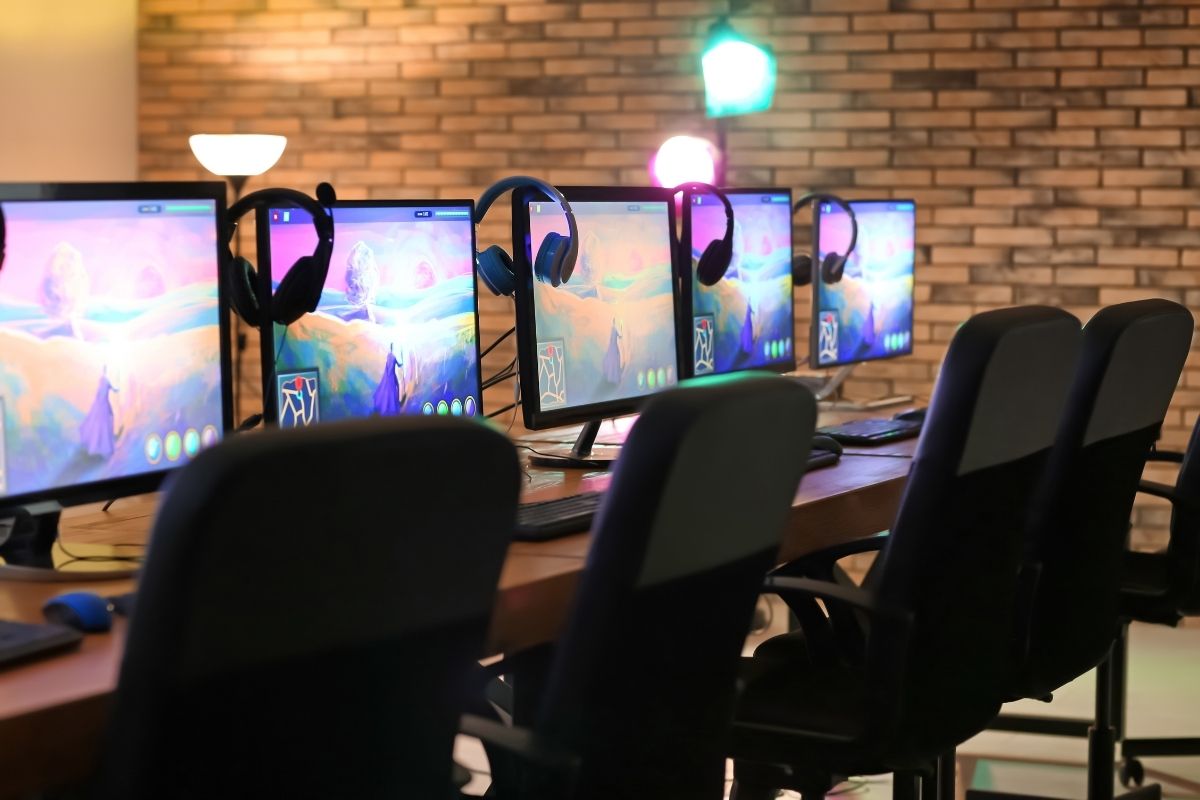
The pathway into professional gaming is an important bridge in creating more opportunities for players. Unfortunately, when it comes to esports, that pathway isn’t as well defined as it is in more established sports industries.
Wim Stocks better outlines the disparity using the talent pipeline in baseball:
“If you want to play baseball, you want to be a professional baseball player in Major League Baseball, you know what to do. You start at T-ball when you’re six years old. You go to little league. You play for your high school. You play for your college. You play Minor League ball.”
According to Stocks, this pipeline isn’t nearly as defined in esports. Luckily, the work he’s doing with World Gaming and Collegiate Star League (CSL) is aiming to turn that around.
“You could say we act like the NCAA of esports,” Stocks explains. “We organize leagues. Every game is a league, no different than there is an NCAA football league. In our case, there’s a CSL League of Legends league. There’s a CSL Counterstrike league. There’s a CSL Dota 2 league. There’s a CSL Madden league.”
These leagues aren’t just to host competitive matches – they’re designed to help aspiring players get better while creating a global gaming society. The collegiate leagues are open to college students. Like other major collegiate sports, the aim is to build an infrastructure around creating enthusiasm for esports, developing talents, and presenting clear opportunities for those who want to take their gaming to another level.
As for what adopting this model means, Stocks is clear about what the future of the esports talent pipeline could look like:
“The more this starts to look like traditional sports that have a template – that have a built-in infrastructure and tremendous understanding – the more we can model that for esports.”

Developing & Managing Communities: Interaction with Players

The gaming industry has understood the value of communities. There are many community managers in every video game company. They tap into the folks who follow their games for the folks who invest in their products.
“That’s brilliant,” says Malik Forte, “because you want people to play your games again and again. If you implement micro-transactions, and they keep coming back, you, the developer, make more money. “
A lot of games nowadays are about persistent online experiences. You play those games for a long time. The developers keep releasing content for the games.
Players look forward to all those content updates and additions. They see the game grow and mature.
It is like planting a tree and seeing it grow. Games are the same. Therefore, so many video game communities are passionate and dedicated to the developers and the game.
Forte’s been a part of several game communities like the Overwatch community. Overwatch is a team-based shooting game in which the players fight over objectives. Blizzard Entertainment, a veteran game publisher/developer, created the game.
“It wasn’t about me knowing the developers, the game, or the characters,” says Forte. “I got to know several people who were passionate about that game.”
The Overwatch community is one of the biggest of any video game. Community members love Overwatch and its characters. The community has people who passionately love the game, love watching other people play it, and love talking about it. They’re so invested that they make fan art and dress up as those characters at conventions.
Overwatch became more sophisticated on the competitive side, too. It became a whole league and made it to the Barclays Center for the grand finals in 2018. It’s been on television.
It is the community that made Overwatch a phenomenal success. “You see that with many games that top the sales charts,” says Forte. “If you go on Twitch,” Forte continues, “the most-watched games have the strongest communities.”
Establishing a community is crucial. You hire a community manager to keep that excitement going. With video games, it’s super imperative to have somebody in your company who focuses on your game’s community.

Development in VR: VR Audio

It is odd to hear sounds behind you, but it is actually on the screen in front of you. But that’s precisely what happens with Dolby 5.1 and gaming. We have grown to accept it. But it is artificial.
In VR, you want to hear a character coming up behind you. If a character is 100 feet away talking, you want to feel and hear them as if they really are that far away IRL. That is why the concept of spatial audio in VR is huge.
Spatial Audio
Sound is incredibly important in gaming. Yet, some developers do not realize how imperative it is. They’ll work on a game for a year, then show it off without sound. “Audio design is extremely important,” Dan Shimmyo says. “And if you are not thinking about audio early, I feel like you are failing to develop your game.”
In VR, audio is vital because players need to hear where sounds are coming from. Shimmyo describes a perfect example of this using zombies. “You want to be able to hear a zombie coming so that you can protect yourself and deal with them as quickly as possible, expecially when they’re coming/sneaking up behind you. And what could be more terrifying that sitting in a dark room but you can hear these zombies coming from all sides?”
If a player is holding a lightsaber in their hand, they should be able to hear sound like it is really there. Spatial audio is a fantastic part of the immersion of VR. There is a significant difference between looking at something two-dimensional and hearing a sound over here on stereo. It may work, and we may accept it in regular gaming. But in VR, we want technology to advance to full immersion for the best possible experience.

Engaging the Player: Audio, Haptics, and Information: Accessibility

Adding accessibility features when you’re developing your game can help make it playable by a larger audience, even if they aren’t diagnosed with a specific condition. You may unknowingly be limiting your audience by not adding these features.
For instance, many high performing players will play with the colorblind mode on even if they are not fully diagnosed with color deficiency. Colorblind mode has a higher contrast which makes it easier for them to play.
Even for those that aren’t colorblind, when people get in a really stressed situation its harder for people to see color. It’s as if your brain goes into a high-octane mode and optimizes for moving quickly and efficiently. Color information is a lot to process, so you stop being able to see color clearly when you are pumped full of adrenaline. This is the reason why when people are in a situation where someone has a gun, they might not actually remember their shirt color, or if they were in a car accident, they might not remember the car color.
Another time when people can experience a lot of adrenaline is when they play video games, especially if they are in a stressful firefight or a large boss battle. Because of the adrenaline it might be harder for them to perceive color. Running colorblind mode can help in these situations.
Another area of accessibility that’s becoming more popular in recent years is around cognitive differences. People have differences in short-term memory. You might tell a player on one screen that you need them to do this thing, and then they move to another screen. There is a sizable percentage of players that might not be able to remember those exact words transitioning from screen to screen. This is important for game developers to be aware of so you don’t limit your audience from being able to play and enjoy your game.

Engaging the Player: Audio, Haptics, and Information: Music and Experience

Audio and haptics play a vital role in creating a full, sensory experience in games. Genevieve Johnson explains how these senses can define a game – and even how gamers move through virtual spaces and engage emotionally.
“Besides the sounds, you want to think about the button clicks and the sound they’re making. Think about the music in your games – music is a huge deal. I happened to play maybe six different zombie games for a minor research project just a couple of days ago.
“In one particular game, it had solid gameplay – most of them had solid gameplay – but its music was mostly sort of soothing. So you felt sort of soothing, calm, like, alright, I’m getting ready to go to battle these zombies. And it was a long, long battle.”
That juxtaposition removed tension that would have otherwise made the game unplayable while setting a tone that still worked with the horror.
“There’s no difference between music in a game and music in life,” says Dan Shefelman. “If you’re working out, you want to hear a workout mix. If you’re trying to relax, you want to hear calm music. It emotionally creates a feeling in you.”
Haptics – the understanding of the world around us through the sense of touch – works similarly. Shefelman details how haptics shapes so much of modern gaming, and how it can change depending on the medium.
“My first experience with haptics, or, I should say, with the lack of haptics, was in virtual reality . . . I couldn’t tell how far anything was because I’m used to sculpting. I’m used to feeling something that I hit. Until they have developed haptics, you’re in a three-dimensional space and you’re not feeling it. It feels vague.”
Now that games are becoming more of a sensory experience, audio and haptics have become just as important as optics. When you’re immersed in a game, you want to feel something at the same time.

Engaging the Player: Audio, Haptics, and Information: Touch and Feel

“We’re saying something about something here,” says David Jaffee, “We’re saying something about the human condition.” Fundamentally, it’s what feels good when you’re holding that controller. That’s what most gamers love. Rocket League, Fortnite, PUBG– it’s fundamentally about mechanics.

Audio design is tricky. You know when you want the sound to show up and do a job. You know when you want to sound to evoke an emotion in the player-a reward– a warning specifically. Usually, it’s the audio and heads-up display that says, “Hey, a missile’s coming in,” or “a bad guy’s behind you or off to your right.”

Designing a HUD is really hard for a game designer. Because the game designer wants to think that the player wants to know everything they know about the game. It’s like there’s so much stuff that the game is tracking.

And you want to throw all that at the player and say we have audio cues, we have visual cues, and we have heads-up display cues. Did you notice the player’s feet glow a little bit when he’s low on health because the eye tends to be looking lower than the center of the screen?

And you can get carried away with that. The average player might ultimately– when they get good at the game– want that data. But if you throw that at the player at the very beginning, they’re going to get overwhelmed. The game is going to end up looking like user interface porn. And you’re going to push people away.

It’s a really hard thing to do, especially when you’re talking mechanics-based games, to design something that’s robust enough to yield a play experience that the player can have a meaty, deep, intellectual, satisfying time with but without overloading what’s on the screen. Because the minute we went over the shoulder or the minute we went first-person, we lost that brilliant play mechanics space.

These are not movies. And they’ve become movies because they look like movies. But what we’ve lost in that is so much that is germane to great gameplay.

Animation: 3D Modeling

According to Dan Shefelman, 3-D game design revolves around an important process: creating dimensional assets. This includes objects and environments but also characters.

“A 3-D CG character in gaming or animation is essentially a puppet,” says Shefelman. “Inside that puppet, you’ll find what’s called a rig. The rig is attached to the 3-D mesh defining the puppet’s geometry.”

The animator’s job involves manipulating the parts of a character and creating behaviors for different movements. Shefelman also points out some conceptual parallels between three-dimensional characters and real creatures. “The best way to think of a rig is as a human or animal skeleton. It has bones with joints that fit into sockets, and they can move.”

Shefelman further describes the existence of a hierarchy governing a rig’s joints. “One joint is parented to another. If a joint at the base of a finger moves, a child of that joint, like one at the tip of the same finger, might also move. The joints can also move independently, just like what happens in nature.”

According to Shefelman, modeling on the computer feels similar to working with clay. “You start with some kind of lump,” he says. “In a tool like ZBrush, this takes the form of a sphere. In Maya or 3D Studio Max, you generally begin with a cube. From there, you begin to extrude, or pull, the shapes outward one by one. After pulling out one shape, which we call pulling points, you’ll move on to the next. A typical workflow consists of pulling the points of a polygon and adding more vertices as you build the shape. Or you can focus on pulling complex forms, like a character’s limbs. With either approach, you’ll mold the starting shape into something that becomes your model.”

Animation: Introduction to Animation

Animation for film, TV, and linear storytelling is you controlling the character, creating keyframes for the posing, and carefully planning it out.

Animation in gaming is about creating a character or an object that has certain behaviors assigned to it so that it will behave a certain way when you control it.

Animation in the gaming industry takes a cold, dead environment and breathes life into it. Animation is not just how your player moves through the world; it’s also the world interacting back with the player.

People tend to think about the obvious, walking around or dancing, but animation is so much more powerful than that.

For instance, you’ve got an ax that you’re swinging. If you go up to a tree and swing the ax and nothing happens, you’re probably going to think that you can’t knock the tree down. If, instead, the tree wiggles and shakes a little bit, you’re going to swing that ax again.

You feel like you’re engaging with the environment, and the environment starts feeling real. You’re also cluing players into the game mechanics and which actions they can take.

You swing the ax again. This time the tree shakes harder – you’re going to swing it again. You have positive reinforcement that swinging the ax does something, and you should keep doing it until the payoff.

There’s a huge team that works on all these projects within the esports industry. And at every level of gaming education and planning, they have to consider the gaming experience.

A character designer and a modeler work together to create the characters, make them look appealing, scary, or whatever the game requires.

Next, the rigger puts in a rig, a skeleton that goes inside the mesh, the skin of the character, and creates movement. Then, the character receives its texture. Textures give the feel of leather, skin, or cloth, and they create the mood, the sense of danger, or lightness, of comedy.

Animation in gaming is different from animation in television and feature films. Each step in the process must take into account the materials of the objects or characters.

For example, as online gaming education teaches, characters made of metal will move a certain way based upon the characteristics of the metal. A program (coding) will determine how a metal character will interact with its environment.

The environment must be specified as well. Is it metal, wood, or ground? Gravity is also critical; it’s the most important part of physics regarding how a character moves.

If you’re on Jupiter, you’re going to move very slowly. If you’re on Earth, you’re going to move like we’re used to seeing people move. If you’re on the moon, you’re going to move lightly.

All of these details get programmed into the game. Whether it’s an esports, 2D, or 3D game, these things give the character the performance that makes the game exciting.

[Please embed: https://pixabay.com/images/id-5091194/ ]

Choices in Development: Engines, Languages, and Platforms: Game Engines and Environments

Game development has become a very welcoming environment. The game engine is the hub that runs the entire game and makes your game assets work. Anybody can develop a game as there are many different types of game engines and environments available.
If you are an aspiring game developer just starting out, you may want to check out Unreal Engine. This is a popular engine that is good for starters in that it is a bit more user-friendly. Unreal Engine involves less technical aspects to it as compared to other engines.
Another popular game engine that quite a few people know about is Unity. This game engine has a platform that allows you to create game characters. You can also add physics to the game assets using Rigidbody dynamics, and you can make your characters do different things by adding some code to your program.
If you don’t want to install a hefty software application on your computer, there are a whole host of game development engines that are web-based. You would simply go onto an internet browser, type in the URL, and then start coding. Once you’ve created your app or game, you simply download your file.
MIT App Inventory is a form of Scratch, which uses a block-based programming language for you to create apps and games. You drag and drop various blocks to build the code needed to run your creation.
Flowlab is another web-based application. Using Flowlab you can create game characters, add different movements for those characters, and create a full-fledged game. You can also access this application on your phone.
If you start working for first-party studios in the gaming industry, such as PlayStation, Naughty Dog, or Rockstar, you may work with proprietary game engines that these studios have created themselves.

Choices in Development: Engines, Languages, and Platforms: Unity or Unreal?

“Some game engines are better for creating great, giant worlds,” says Genevieve Johnson. Unreal was initially known for that, whereas Unity’s metier was smaller, boutique 2D games that could render smoothly on a tablet.
“But what we’re seeing today is that Unity’s excellent for creating large, 3D games. And Unreal can create wonderful games for your phone,” continues Johnson, “It then becomes a question of, how strong are you in coding?”
One thing that Johnson particularly likes about Unreal is its visual scripter.
”I tend towards using Unity as my game engine because I find it to be programmer-friendly. Whenever I have a unique mechanism that I want to work on, I can effortlessly write the code from scratch. That may be more difficult for some people. But to me, it’s very freeing,” says Dan Shimmyo. Unity enables him to try lots of things in a flash.
Malik Forte’s advice to anybody trying to decide between Unreal and Unity is that if you’re looking for accessibility and don’t want to get too deep into learning a code language, then Unreal is the way to go. It’s a lot more accessible and easier to use.
“Unity is for more veteran developers who understand coding language and are further along with working with game engines,” he says.
So, for someone who is just getting started and wants to get an idea of how a video game engine works, according to Forte, Unreal is the way to go to get the hang of things.
“If you want to move on to something bigger like Unity, you can do that later,” says Forte.