Online UX Design Education: The Importance of UI With UX

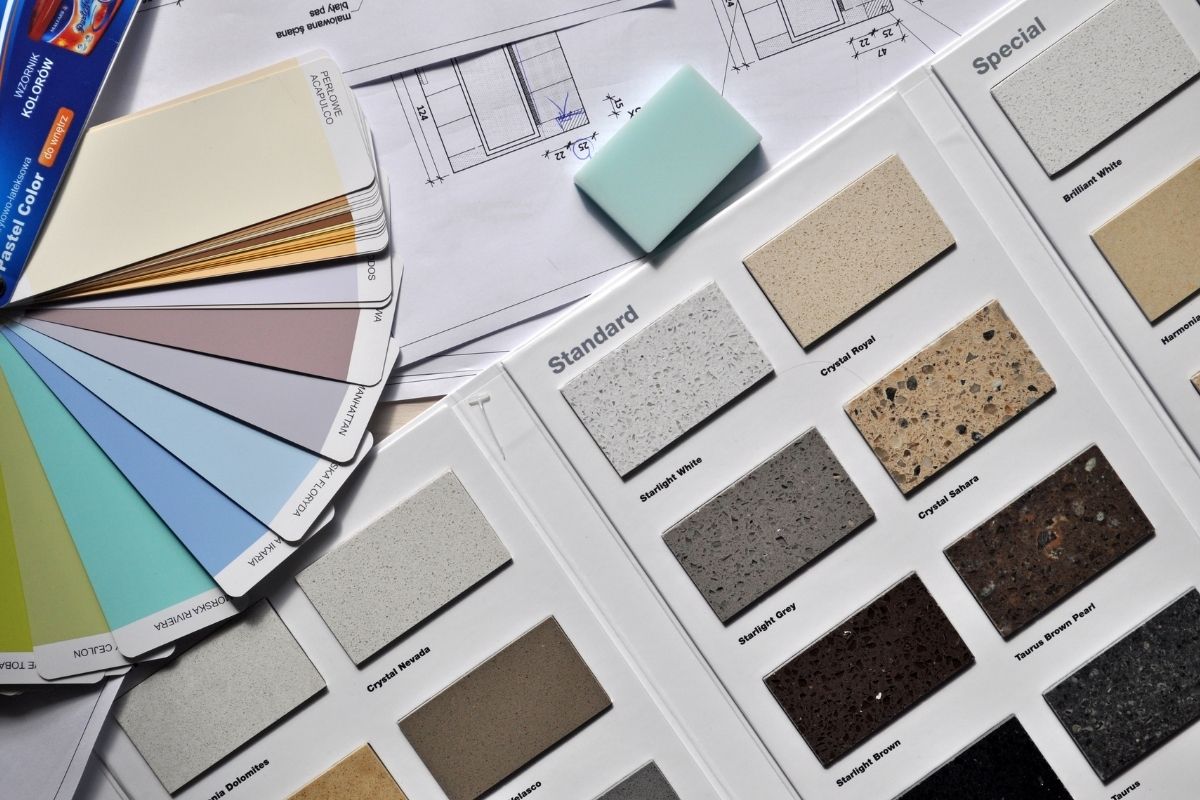
UI, or user interface, refers to the complement, the look and feel, and the interactivity with the product that you are designing. In other words, UI design refers to the visual components of your experience and how those visual components are going to make your journey or the user’s journey as intuitive as possible.

In the same way, we can describe UX as the foundation, structure and frame of a house. The difference between UX design and UI design is that UI refers to the wallpaper, the furniture, and all those elements that make this environment more pleasant and overall more intuitive to navigate. This ranges from the buttons, iconography, colors and all aesthetics that are involved in the interface or that adorn the interface.

One of the big things to keep in mind while pursuing online UX design education is that no matter how “usable” you think what you’ve designed is, if it doesn’t look good, people are not going to want to use it at all. It’s super important to keep in mind when actually building something.

I like to say that UX without UI is just not really a great product. You see it all the time, too. You see some products and programs that have been around for years, but they just look so outdated that no one wants to use them anymore. There are hot, fresh, new products out that just look a lot slicker, and people are gravitating towards them. Never forget that UI is always going to be very valuable to your UX.

Online UX Design Education: Visual Design

Visual design should really follow functionality. UX and UI are kind of a complement to each other. You need to make sure that the program performs well but also looks good. The UX design and UI design elements should go hand in hand.

When designing, make sure that you don’t only have the UI part but also that the user experience is embedded in it. Also try to optimize that for consistency. If you use certain UI elements, make sure they look the same throughout your website and everything that you put in your interface and that they actually makes sense and have a reason to be there.

Things like simplicity and color, which really identify certain functionality, are like accents that you can put in your interface. For example, I really love the Gestalt principles. I try to always have the designers that I work with present not only how things look but also how they work. They need to make sure that everything they put in the interface makes sense and has a reason to be there. Everything must also be tested with users so you can make sure the functionality is right.

Online Product Design Education Features Wallpaper Designer Highlight Paul Cocksedge

Sarah Douglas recalls her experience with the designer: “I had the privilege of working on a project called Wallpaper Handmade for ten years, in which we married designers and artists with makers and manufacturers to create new one-off objects that sometimes were put into production.” This was an exciting way to see the entire design journey, from conception to completion and everything in between.

Product Development for The Bookmark

“I think the one example I’d like to talk about is actually a product that we made with Paul Cocksedge the designer, and a marble manufacturer in Athens.”

“It was actually an idea that Paul had called, The Bookmark, which was to rethink the idea of what a bookmark is. He very quickly realized that actually working in this type of marble would push the boundaries for him, in terms of the object he would make. It goes against what a bookmark should be, but offers something completely different. It’s a large object that rocks. Now, bookmarks don’t rock. Marble doesn’t usually rock. It was a really joyful product.”

Product Design Education

After some extensive research, Paul made his idea happen. “He went to Athens. He actually had the ability to feel the material, watch how it’s made. This actual bookmark which is kind of like, this large, it was made by using CNC water jet cutting.”

“Paul’s work is always about pushing technology and pushing materials that don’t necessarily behave the way you expect them to. And I think this project-although there were difficulties, there were definitely more conversations to be had throughout the process-the actual final result was really, really well-considered because he had researched the material properly.”

Personalization: Case Study in Personalization: Shop Your Feet

The process by which we, ShopYourFit, went from product/market fit to revenue is very interesting because it includes a mix of more product/market fit, more experimentation, and more products we’re building. We find out even different problems that customers have.
That’s how we got into revenue. When we built ShopYourFit, we quickly understood that we were going to have different customers coming to the website. They’re going to a personalization process that we created using artificial intelligence, and using later, TensorFlow and augmented reality.
I explained how the personalization process works. Customers visit the website and manually input their height and weight. Then, they choose their style. It’s very subjective the way that customers dress. It’s not necessarily about the large, medium, or small sizes that matter. Customers may want clothing that is tighter or clothing that is looser.
Different styles are more subjective, so what we did is build a simple board where the customer selects certain pictures. Using the selections, we can gain an understanding of a customer’s behavior and how the customer wants to wear certain styles of clothing.
We ask customers to take pictures of the front and side, so we can construct a precise body type. We have the body type, we have the style, and we have the customer’s height and weight. Using all the information provided by the customer, we can populate a website for customers that is customized to what they’re looking for.

Online Product Design Education: Computer Aided Design

Computer-Aided Design (CAD) is not just for designing buildings but for anything that needs to be assembled. It turns a lot of handwritten hard work into easy workable designs on a computer. Creating two-dimensional and three-dimensional structures and changing them very easily has changed architecture and product design tremendously.

There’s no doubt that computers have helped the world do many things faster and more efficiently than traditional methods. Before computers, architects and product designers were limited because they had to hand draw their designs and use rulers to ensure their measurements were correct. And if they had made a mistake or dimensions had to change, they had to erase and start over. With CAD, you can make changes quickly to a product design without losing the other work you’ve done.

The computer allows you to make changes in product development very easily. Complex and challenging product designs can be created with ease by using CAD. You can also create multiple copies of the same design with some tweaks added. To do this, you simply copy and alter it and repeat that process as many times as you’d like. Find the perfect proportions or see where your dimensions need to change some to make it more comfortable to use in different situations. Then you have multiple versions of the same product and can see which one works the best for you and your clients.

After the design is on the computer, you can do many things with it. For example, you can start with two-dimensional drawings and then move on to three-dimensional drawings. You can see what the faces look like in two-dimensional drawings and then look at them from multiple viewpoints with the three-dimensional drawings. This process uses orthogonal drawings.

Orthogonal drawings allow you to see a top view, side views, front views, and sometimes you even can see the bottom or back views, depending on what you need. You can usually describe the object in perfect detail with a front view, top view, and side views. Product design education can help you learn these techniques to add more value to your efforts in creating products.

After using these multiple viewpoints, you can produce documents called technical specifications. These documents are sent out to the vendors so they can replicate them into real materials. The vendors use their knowledge to make your materials with their processes and the specific use of the materials. Usually, whatever your product calls for, the vendors have their methods of making it a reality for you to do your job. Once you have your materials from the vendor, you can piece together a prototype to present to your client.

There are other orthogonal views telling us the product’s size, what the dimensions are, and what the material is going to be like and how the product will be assembled together. Technical specifications are simply one tool that CAD offers you to make professional and accurate product designs.

Principles of UX Design in the Ancient World

Let’s talk a bit about the history and background of user experience design, or UX. Concern about UX started quite early in history, even back thousands of years. Let’s place ourselves in 4,000 B.C. in China talking about Feng Shui.

Feng Shui is a philosophy that explores the relationship between the elements, the energy known as chi, and how that circulates through space. Feng means wind, while Shui means water.

In Feng Shui, it’s all about how we position elements in the space, like how an interior designer would place furniture or decorations in a room.

The flow and the journey of the user as the person that inhabits that space is efficient when you follow the principles of Feng Shui. Using the space is pleasant and enjoyable. This is a wonderful first milestone that always fascinates me about UX principles. This history shows that UX has been always with us.

Let’s continue on this exciting journey through history. In the year 500 B.C., the ancient Greeks started playing around with this concept of UX. The way they did it was by designing their own tools and workplaces.

They followed principles of ergonomics, or what we know as ergonomics, in order to develop and design their tools and workplaces. They followed those principles to maximize efficiency and to promote well-being in the humans that were working in those professions or using those tools.

That was basically the beginning of the relationship between the human being and those elements.

We know all this because there’s a text from Hippocrates that describes how a surgeon should be working and how to set up what we know today as a surgery or surgeon theater. The text talks about things like how the tools should be displayed, where the light should be coming from, and if the surgeon is sitting or standing.

All the information in Hippocrates’ text talks about how to create an efficient experience, not just for the surgeon, but also for the patient.

Today, as we’ve moved to using digital products, user interface, or UI, has become a new part of design history. UI design and online UX design education have to be concerned with how a user interfaces with something digital in the same way that Hippocrates was concerned with how a surgeon could best use surgical tools.

Isn’t it fascinating?

Improved Approach to Product Development Research

There are a lot of different techniques to use when looking at product development. The various techniques go beyond product design and development. We call the type of research that we do “generative research.” We call it “generative” because it’s not necessarily about quantified research. In quantified research, we can have access that can inspire thoughts and ideas. For this reason, it is necessary to make such techniques part of product design education. It means including it in online product design education too.

We’re interested in inspirations that allow us to look at problems differently. In this case, we are trying to surround ourselves within project spaces. Frequently, and for the longest time, it’s been boards on a wall. More recently, that’s turning into more virtual project spaces, where it’s possible to modify things much more.

Most importantly, we’re trying to immerse ourselves and surround ourselves with inspirations. We immerse ourselves in these inspirations that allow us to look at a problem holistically and get at specific insights. Sometimes, that comes from detailed ethnographic research, where we spend time with people in their homes so that we can understand the tasks that they’re doing. Also, we may be looking at the whole context around using a specific kind of device or technology.

Many times, we are also pulling inspiration from similar products and trends. Again, we are looking at the culture of how people live. Often, we’re designing for different cultures, sometimes in other countries.

At the same time, there’s culture and subculture. You can define it in very narrow slices as you’re looking at who you’re trying to connect to within a brand. In this case, we’re trying to create a very holistic picture as much as possible through imagery. It is often on the wall through notes and quotations from people who we might speak to within a culture or subculture. As we do this, we are looking specifically at some technologies. You can use these technologies in parallel with what we’re designing toward.

We work to get those things together into territories. Then, we might look to design within and try to create personas around the person who we’re designing toward. We want to connect those personas to real things that we see in real life with real people as much as possible.

We try hard not to fall back on our predisposed way of thinking about the person’s identity. We want to get outside of ourselves. We want to have empathy toward the life of the person who we’re designing toward. In this effort, you dive in and look for solutions that can help the identified persons.

Intersectionality for User Interface, UX, and Product Design

The mark of success in your online UX design education is having the ability to translate insights into designing equitable, inclusive products. It is especially important for everyone on your UI design team to be on board and in the room throughout the entire design process. This way, everyone will understand why the insights you are focusing on are important.

For visual and UX design, you should try to have a mindset of intersectional identity. What does this mean for your product? For example, let’s say you are designing a mental health product for communities of color to be matched with therapists of color. What imagery do you think about? What language would be important?

What features would such an app need to have? Let’s say some users might not speak English as a first language. These people should be able to select an option in a form that would match them with a therapist speaking their first language and thus better speaking to their needs. It is important for each feature in your UI to be implemented into wireframing, mockups, and the visual design process.

UX professionals also need to be thinking about how different people would react to the products they engage with. This is the reason why intersectionality is so important.

Continuing with our example, you are trying to make a product tailored for people of color. You have the imagery down and feel like the result is inclusive; perhaps pictures of people of color are included in the marketing materials.

However, you may test the app on a user over 60, who might not see themselves using the product. Simply saying “let me get a bunch of people of color in the materials” may exclude age, gender, or other important components of intersectional identity. To ensure that everyone truly feels seen, it is important to have each component in your mind as you design.

Involving Users in the UX Design Process With Co-Creation

A particular type of research that UX design professionals typically do is called generative research. In this type of research, designers will often engage their end users to come up with UI ideas or solutions.

One thing you can do to practice generative research is to have each person you interview come up with their “perfect solution.” Draw it out with them. Ask them where the search bar should go or what the buttons on the screens should do.

Do not feel limited to what is actually possible. Have your testers dream big and imagine big. Ask them what they want to get to, what they would like to see, and what they would like to actually do. “The point of this is not necessarily to go out and design exactly that, but to understand, what the motivators are behind that, and to spark some ideas within yourself,” says UX design educator Daniel Holtzman.

The idea behind generative research is to co-create. Instead of thinking about what users need or listening to what they think they need, it is to sit down with them and ask them their biggest challenges. If you had a magic wand and could do anything, how would you solve their challenges? Ask them to draw this solution for you or build it from very simple prototyping materials.

Any UX workshop that you do with your users which involves the co-creation of a solution will be 100% more powerful. This is because your users have all the answers. “They know. They are there every day with their challenges in the settings that they are, in the cultures that they are,” states UI design professional Rinat Sherzer. Asking your users to help you design a solution will bring out ideas that you could never have thought of.

One of the most significant lessons that you should take away from your online UX design education is not to solve for someone, but to solve with them. Listen to the stories, then let them imagine a solution. Let them draw, act out, or prototype the solution. Through these responses, many new challenges will arise, and you will always get their perspective. You can then go and refine, iterate, and work with their prototypes. Getting users’ points of view and co-creating with them is priceless.

Is 3D Printing the Best Option for Product Design Samples?

Prototyping is an essential part of our job, and it is not always what we all think about. Prototyping doesn’t necessarily require a machine or a 3D printer. I always tell my team that the first rapid prototyping machine they must use in their project is a printer. It is effective because you start designing on the screen, which can be very challenging. It’s a challenge because as soon as you get into CAD, you sometimes keep the notion of proportion, but you lose the notion of scale.

For example, I have had designers repeatedly create 3D printing. The day they take it out of the machine, they look at it and say, oh, my god, this is big! It is for such reasons that a simple print is actually a great way to prototype your project rapidly. As you get into your process and refine it, maybe you will decide to cut and form the shape. Based on the print you have done, maybe you get to a point where you’re going to 3D print. It means in particular situations, 3D printing can still be a necessity.

Usually, in 3D printing, you might prefer to keep it maybe not to the last stage but the later stage of the product development process. There is a good reason behind this claim. It’s when you have already refined your design quite a lot, and you’re nitpicking the proportion and specific detail. In this case, you really want to make sure that your surface transition is proper and so forth. These are some of the fundamentals everyone in product design education must learn. Also, it must include online product design education.

When I speak about 3D printing, that’s 3D printing in plastic. We also do 3D printing in metal, which is slightly different. It is different because we don’t need metal to evaluate or shape an interface. When we use 3D printing in metal, we use what we call DMLS. It is usually to print a production part, which makes it very expensive. In such cases, it becomes rare.

We have one line of products in which their production is of that approach, but they may all cost you almost as much as it costs. It’s a little bit specific and for a particular market, and it’s also interesting. Once you are comfortable with all the plastic 3D printing technologies that are available, making that last leap to print in production is not that difficult. It’s just one more step.